


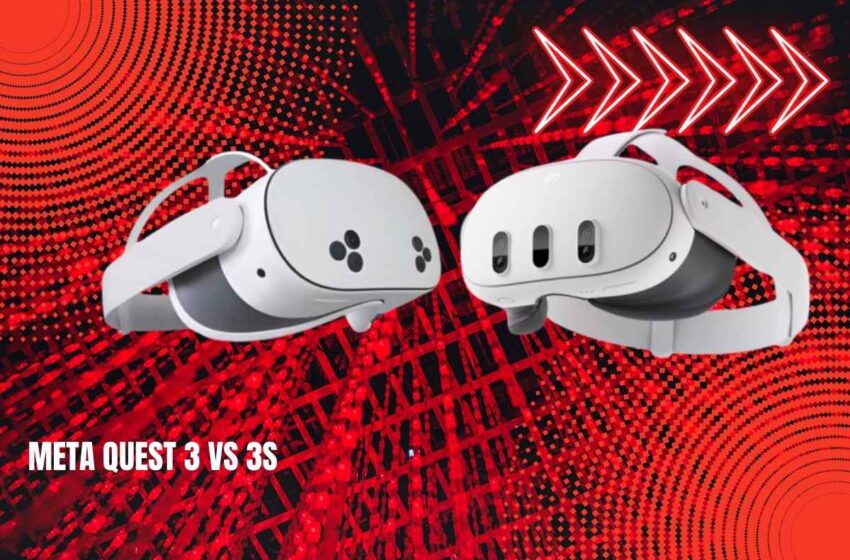
Meta Quest 3 vs 3S: The Ultimate VR Headset Comparison Guide
Meta’s latest VR offerings have sparked considerable debate in the virtual reality community. With the Quest 3S launching at a substantially lower price point than its premium sibling, many prospective buyers are wondering whether the savings justify the compromises. This comprehensive guide examines every critical difference between these two headsets to help you make an informed decision.
Table of Contents
Price and Value: The $200 Question
The most striking difference in the Quest 3 vs 3S comparison is the $200 price gap. The 3S starts at an accessible $299 for the 128GB model, positioning it as an entry point into next-generation VR. Meanwhile, Meta has discontinued the 128GB version of the premium model, leaving only the 512GB version at $499.
This pricing strategy creates an interesting dynamic for consumers. The 256GB budget model at $399 sits just $100 below the flagship, making the decision less clear-cut for those who need more storage. Many users report that modern VR games like Batman: Arkham Shadow can consume 20GB or more, meaning the base 128GB fills up quickly for serious gamers.
For first-time VR buyers, the $299 entry point represents a low-risk investment to explore virtual reality without breaking the bank. However, frequent users and VR enthusiasts consistently argue that the extra $200 for the premium model pays dividends in daily use through superior visual quality and comfort.
Display Quality: Resolution Matters
The premium model delivers noticeably sharper visuals with its 2064 × 2208 resolution per eye compared to the budget version’s 1832 × 1920. This translates to approximately 4.5 million pixels versus 3.5 million pixels per eye. While this might seem marginal on paper, users consistently report the difference is immediately apparent when reading text or viewing fine details in virtual environments.
Text clarity becomes especially important for productivity applications, virtual desktop work, and reading in-game menus. The higher resolution reduces the screen-door effect and makes virtual environments feel more realistic and less pixelated. For watching movies or streaming content in VR, the resolution advantage becomes even more pronounced during extended viewing sessions.
Lens Technology: The Game Changer
This is where opinions diverge most sharply in any Quest 3 vs 3S debate. The flagship’s pancake lenses represent a significant technological advancement over the budget model’s Fresnel lenses, and this difference fundamentally changes the VR experience.
Pancake Lenses: Premium Visual Experience
The premium model’s pancake lenses provide edge-to-edge clarity across the entire field of view, eliminating the need to constantly adjust your head position to find the “sweet spot” for clear vision. These lenses reduce distortion and glare significantly while enabling a 40% slimmer profile compared to Quest 2. The wider 110° horizontal field of view creates a more immersive experience that better fills your peripheral vision.
Users upgrading from Quest 2 describe the pancake lenses as transformative, with one reviewer noting that returning to Fresnel lenses after experiencing pancake technology feels like stepping backward in VR evolution. The clarity remains consistent whether you’re looking straight ahead or glancing toward the edges of the display.
Fresnel Lenses: Proven But Limited
The budget model’s Fresnel lenses are inherited from Quest 2, complete with visible concentric rings that some users find distracting. These lenses produce noticeable blur at the periphery of vision and require precise eye positioning for optimal clarity. The profile is only 20% slimmer than Quest 2, making the headset bulkier, and the narrower 96° horizontal field of view creates a more tunnel-like viewing experience.
Multiple reviewers note that the budget version’s visual experience closely mirrors the Quest 2, which some describe as having noticeable grain and a restricted viewing area. For those upgrading from Quest 2, the premium model provides a transformative improvement, while the budget option feels more incremental and familiar.
Processing Power: Equal Performance
Both headsets feature the Snapdragon XR2 Gen 2 processor with 8GB of RAM, delivering twice the GPU performance of Quest 2. This means identical game performance and loading times across both models. Apps launch at the same speed, games run identically, and neither headset struggles with current VR demands.
The performance bottleneck on the budget model is its display and optics, not processing power. Both devices handle the same graphical enhancements for legacy games and provide full color passthrough capabilities for mixed reality applications. If you’re concerned about performance or game compatibility, rest assured that both headsets are equally capable.
This processing parity means the budget model isn’t a compromise on power or future-proofing. Both headsets will receive the same software updates and support the same games for years to come. The difference lies entirely in how those experiences are displayed to your eyes.
Design and Physical Comfort
Despite weighing virtually the same at 515g versus 514g, the headsets feel different during extended use. The premium version’s more compact design distributes weight closer to the face, reducing forward pull and neck strain. The budget version, being bulkier due to its Fresnel lenses, positions more weight away from your face, potentially causing discomfort during marathon gaming sessions.
IPD Adjustment Flexibility
The flagship offers continuous IPD adjustment from 53mm to 75mm via a smooth dial, accommodating nearly all face shapes comfortably. This dial allows precise positioning for optimal clarity and comfort. The budget model limits you to three fixed positions at 58mm, 63mm, and 68mm, which works well for average users but leaves those with narrow or wide-set eyes struggling to find the perfect fit.
Users outside these preset measurements report increased eye strain, reduced clarity, and faster onset of VR fatigue. If your IPD falls between the fixed positions, you’ll need to choose the closest option and accept some compromise in visual quality. This limitation alone pushes some buyers toward the premium model.
Hardware Features and Differences
The premium model includes a 3.5mm headphone jack for wired audio, while the budget version requires USB-C audio adapters or Bluetooth headphones. This seemingly small omission frustrates many users who prefer wired audio for zero latency and don’t want to manage another device’s battery life.
The budget version adds a dedicated physical button for toggling passthrough view, while the premium model uses a double-tap gesture on the headset side. The premium model includes a dedicated depth projector for superior room meshing during initial setup, whereas the budget version relies on software algorithms. For low-light environments, the budget model actually has an advantage with its IR illuminators, providing better hand tracking in darkness.
The premium model includes a proximity sensor that automatically wakes the headset when you put it on and sleeps when removed. The budget model requires manual power management, which some users find tedious during frequent short sessions.
Battery Life: An Unexpected Winner
Despite the premium model’s larger 5060 mAh battery, the budget version actually achieves longer runtime at approximately 2.5 hours versus 2.2 hours. This counterintuitive result stems from the lower-resolution display consuming less power during operation. Neither headset offers exceptional endurance, but the budget option edges ahead for casual sessions.
The reality is that most VR users take breaks every 60-90 minutes anyway for comfort and eye rest, making the battery difference less critical than it initially appears. Both headsets charge via USB-C, though only the premium model supports Meta’s official charging dock for convenient wireless charging between sessions.
Mixed Reality and Passthrough Quality
Both headsets deliver full-color passthrough at 4MP resolution, representing a massive leap over Quest 2’s grainy black-and-white feed. The premium version’s dedicated depth sensor provides more accurate room meshing during initial setup, creating better spatial awareness for mixed reality applications. In practice, most users find the mixed reality experience comparable between the two for gaming and casual use.
The budget model’s improved low-light tracking actually gives it an advantage in dimly lit environments, making it slightly better for bedroom or night-time use. Both headsets handle mixed reality gaming admirably, with titles like Batman: Arkham Shadow showcasing impressive blending of virtual and physical spaces.
What Reddit Users Are Saying
The VR community on Reddit has been particularly vocal about this comparison. Users overwhelmingly recommend the premium model for those upgrading from Quest 2, as they want a meaningful upgrade experience. The budget version feels too similar to their current headset to justify the expense.
First-time buyers receive strong endorsements for the budget model, especially those uncertain about long-term VR commitment. Many Redditors express frustration about the budget version omitting the 3.5mm headphone jack, citing wireless audio latency and battery drain concerns as ongoing annoyances.
Experienced VR users notice the Fresnel lens limitations immediately, while newcomers typically don’t realize what they’re missing until they try the premium model. At the $399 price point for the 256GB budget model, many suggest stretching the budget an extra $100 to get the premium model’s superior optics.
Quest Pro Comparison Context
The Quest Pro, now discontinued but still available while supplies last, occupies a unique niche. It features eye and face tracking for enhanced social presence, self-tracking controllers that work without being visible to the headset, and pancake lenses with Mini LED local dimming. However, the newer models surpass it with the more powerful Snapdragon XR2 Gen 2 processor, higher resolution color passthrough, and better mixed reality implementation.
The Quest Pro targets professionals using VR for productivity, virtual meetings, and collaborative work. For gaming and entertainment, both newer models offer superior value and broader content compatibility at significantly lower prices.
Making Your Decision
Choose the premium model if you plan to use VR frequently, care about visual fidelity, watch movies or stream content in VR, or are upgrading from Quest 2 wanting a substantial leap. It’s also essential if your IPD falls outside the three preset positions on the budget model or if you prefer wired audio with the 3.5mm jack.
Choose the budget model if this is your first VR headset, budget is the primary concern, you’ll use VR casually or occasionally, or you’re buying for children or family use. It represents a lower-risk investment if you’re unsure about long-term VR commitment and works perfectly well for standalone VR games.
Final Verdict
The premium model justifies its price through superior optics that transform the VR experience. The pancake lenses, higher resolution, and wider field of view create a more immersive, comfortable viewing environment that becomes especially noticeable during extended sessions or when consuming media.
However, the budget version achieves Meta’s stated goal of democratizing access to next-generation VR. For $299, newcomers get the same processor, game library, and mixed reality capabilities as the flagship model. The visual compromises, while real, won’t disappoint users who haven’t experienced better.
The decision ultimately hinges on one question: Is the enhanced visual experience worth $200 to you? For enthusiasts, frequent users, and those upgrading from Quest 2, the answer is typically yes. For curious newcomers or casual users, the budget model represents exceptional value that won’t leave you feeling shortchanged. Both headsets deliver excellent VR experiences that represent the current state-of-the-art in standalone headsets.
